01
Existing equipment
Bring the equipment details and any installation instructions supplied by its manufacturer. Wesslink can assess the fixed electrical work; ask the equipment supplier about machine-specific requirements.
Discuss this work ↗
HOMES · COMPLEXES · OFFICES · FACTORIES
Did you know your power-surge insurance claim in Laser Park could be rejected if your policy requires surge protection and you don’t have it installed?
Do you stress every time there’s lightning in Laser Park?
Are you tired of worrying about power surges when City Power or Eskom restores your electricity in Laser Park?
Don’t wait for a damaged fridge, blown TV or failed computer before taking action.
Get Wesslink Electrical to quote on installing cost-effective surge protection in Laser Park for your home, complex, office or factory.
We assess your electrical installation and distribution board to recommend suitable surge protection devices (SPDs), also known as surge arresters. Help protect your property and appliances against power surges and lightning-induced surges with protection suited to your installation.
Need surge protection in Laser Park? Call Wesslink Electrical — 072 271 7111.
View surge protection installation costs
AT YOUR PROPERTY
An industrial unit can contain an office and a working warehouse under one roof. Cradleview Industrial Park in Laser Park combines those spaces and advertises three-phase power. If you are moving into a unit, discuss surge protection before the machinery arrives, while the equipment list and electrical work can still be planned together.
For surge protection in Laser Park, tell Wesslink what will move with you, what the landlord is providing and what will be installed later. Include computers and office equipment as well as workshop loads. The electrician can check the actual boards and existing protection, then explain which work belongs in the initial quote.
THE WORK TO DISCUSS
A machine list is more helpful than a floor area when discussing the electrical work.
01
Bring the equipment details and any installation instructions supplied by its manufacturer. Wesslink can assess the fixed electrical work; ask the equipment supplier about machine-specific requirements.
Discuss this work ↗02
Ask for the previous electrical handover documents. Existing protection should be identified and checked before it is relied on for your new layout.
Discuss this work ↗03
Describe the equipment needed on opening day and the later additions. Ask which work is required now and which items can be quoted when the final layout is confirmed.
Discuss this work ↗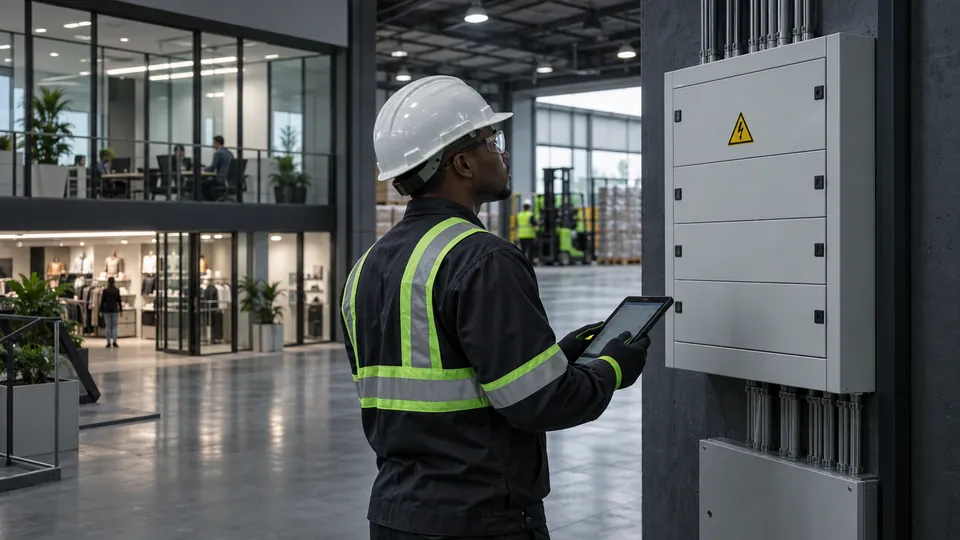
MORE THAN A SINGLE PLUG
Start with the equipment that matters to your home or business, then trace the electrical supply feeding it. Protection needs to work with the actual supply arrangement and earthing.
These are assessment prompts, not a diagnosis of your property. We confirm the scope before specifying devices or placement.
PLANNING THE WORK
Give the electrician a chance to inspect the installation while the relevant areas are accessible.
Include the office, workshop and any equipment with its own supplier.
Identify the boards and protection being left by the previous occupier.
Confirm who may approve changes to fixed wiring and shared equipment.
File the completed work details with the unit's electrical records.
COST-EFFECTIVE STARTS WITH THE RIGHT SCOPE
The price depends on your supply, distribution boards, selected devices, earthing, access and any work needed to prepare the installation. Read the guide, then request a quotation for your property.
View surge protection installation costs ↗UNDERSTAND THE DIFFERENCE
A surge protective device limits transient overvoltage and diverts surge energy. It helps reduce risk; it does not make equipment immune to every event or voltage disturbance.
SPDs are selected and coordinated for the supply, earthing, exposure, boards and equipment. Different Type 1, Type 2 and Type 3 roles may be relevant.
A structural lightning-protection system has a different role. Direct strikes, induced lightning, utility switching and internally generated transients must not be treated as one diagnosis.
A surge should not be diagnosed remotely. Transformers and network switching can create transient conditions, but protection cannot be promised against every voltage disturbance.
There is no universal number of surge protectors for every property. Map the incoming supply, earthing and exposure; trace main and downstream boards, cable distances and critical loads; include relevant power, data and control lines; then coordinate the selected device roles.
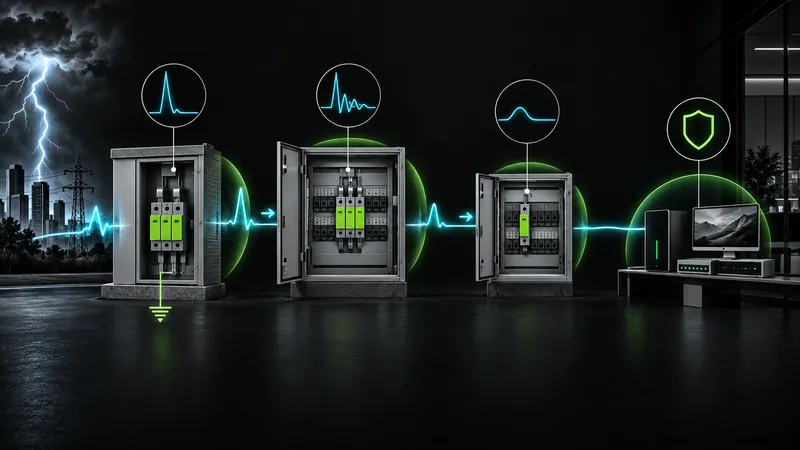
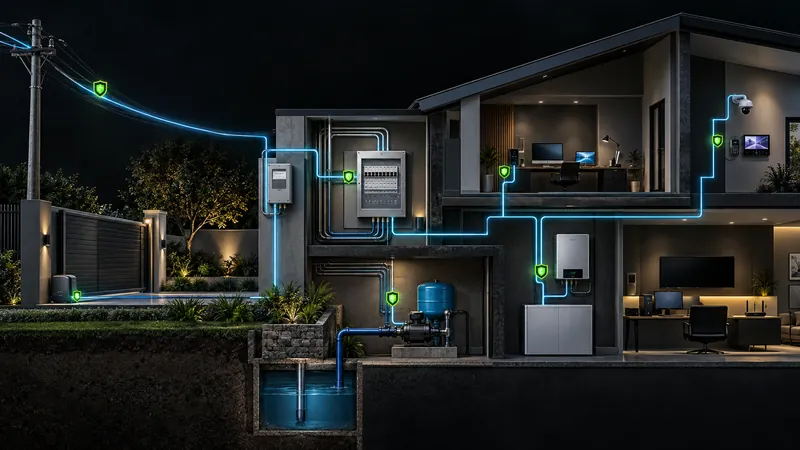
Manufacturer guidance should be applied to the specific installation.
CHECK BEFORE YOU NEED TO CLAIM
Your insurer’s requirements matter. Check your current policy schedule, surge-cover benefits, limits, excesses, exclusions and any protection requirements with your insurer or broker.
Installing an SPD does not automatically secure a payout. Equally, the absence of a particular device does not establish automatic rejection under every policy. Claim treatment also depends on the actual cause.
Keep incident photographs, equipment details, installation records, assessments and repair evidence. Record previous damage as evidence rather than assuming a cause.
LOCAL ELECTRICAL SUPPORT
Send your exact address, property type and equipment concerns to request a quotation. Confirm access and current availability when booking.
ANSWERS BEFORE YOU BOOK
Clear information on installation, costs, lightning, insurance and the details needed for an assessment.
Ask Wesslink: 072 271 7111 ↗The device selection and arrangement depend on the actual installation. Tell Wesslink whether the unit has single-phase or three-phase equipment and provide the equipment details you already have. The electrician will check the supply and boards on site.
Yes. Send the proposed layout and the machine details first. Make clear which information is final and which equipment is still being selected, so the quote identifies any work that depends on those choices.
Describe which equipment stopped working and whether the office, workshop or both were affected. Keep any repair findings and tell Wesslink about recent electrical changes. An inspection can assess the installation and the protection already fitted.
A surge protective device limits transient overvoltage and diverts surge energy. It reduces risk but does not make equipment immune to every event or voltage disturbance.
No. Coordinated SPDs and a structural lightning-protection system have different roles. Direct strikes, induced lightning, utility switching and internally generated transients are not interchangeable.
Ask for the fixed electrical work and any equipment repair to be listed separately. If a machine needs its manufacturer's technician, Wesslink can discuss the electrical installation work alongside that visit.
No. Policy treatment depends on the insurer, plan, schedule, limits, excesses, optional benefits, exclusions and actual cause. Check current policy wording and preserve incident, installation and repair evidence.
Send the exact address or market, property type, supply and board information if known, existing SPDs or lightning system, critical equipment, event history, access details, authorised contact and safe closed-panel photographs.
Yes. For managed or commercial properties, confirm the owner, landlord, body corporate or facilities contact who can authorise work and arrange access. Identify private and common-area boards, critical equipment and permitted shutdown windows before the assessment.
Contact Wesslink Electrical on 072 271 7111 to arrange an assessment of your electrical installation and discuss suitable surge protection. Tell us which appliances or equipment were affected and when the problem started. Keep incident photographs and any assessment or repair records for your insurer.
USEFUL NEXT STEPS
Read the pricing and assessment guides, or find the electrical service that matches your property.
TAKE THE NEXT STEP
Get Wesslink Electrical to quote for your home, complex, office or factory.
072 271 7111 ↗You do not need to open a distribution board to prepare your enquiry.

View our business profile, contact details and latest updates.